Integration
FigMail + Blocks — finish your email in a visual editor
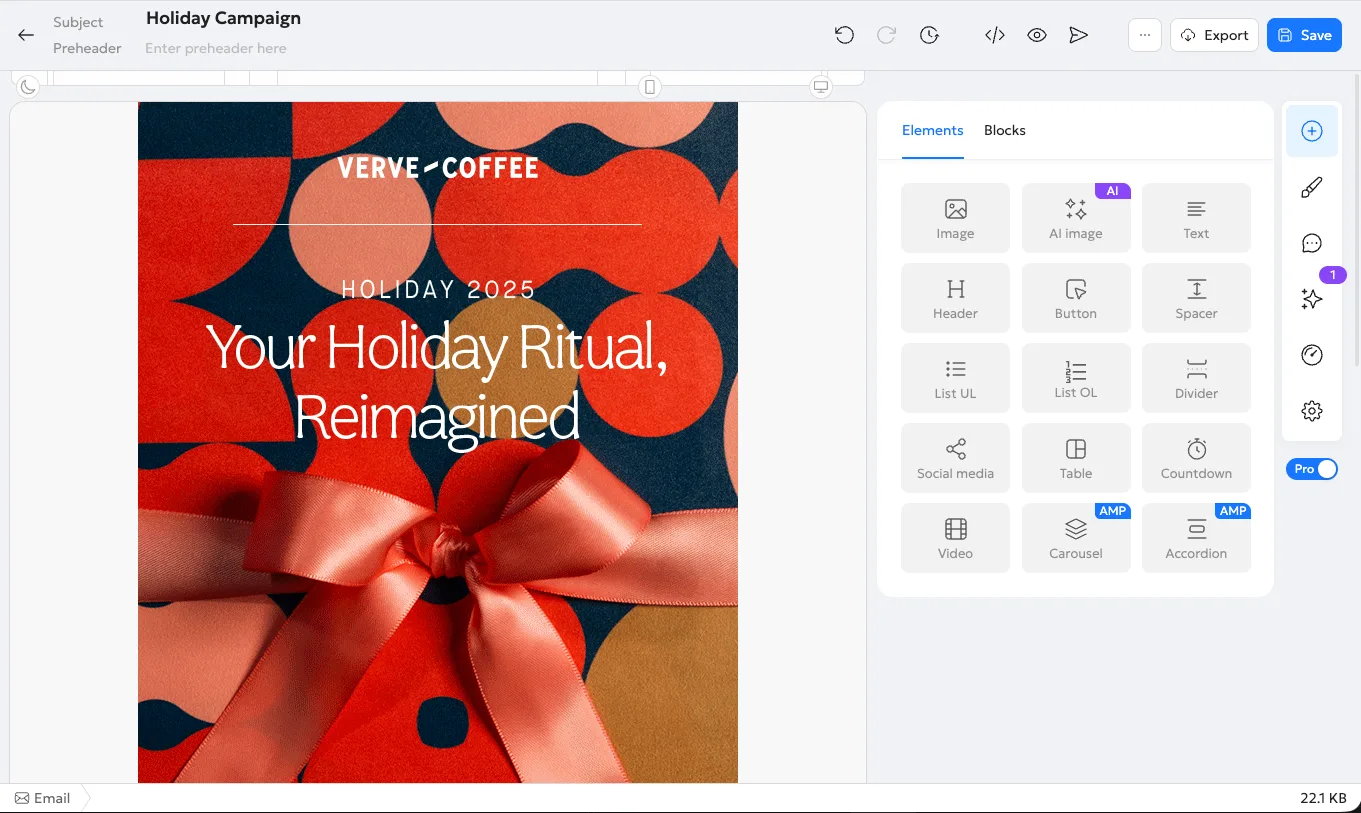
Your email doesn’t have to end as an HTML file. Click “Open in Blocks editor” on the result screen and keep editing in a drag-and-drop editor — no code, no re-import.


How it works
- 1
Generate HTML in Figma
Select a frame and click Generate. FigMail builds a responsive email from your design.
- 2
Click “Open in Blocks editor”
It’s on the result screen, under Code, HTML and Archive. Blocks opens in your browser.
- 3
Edit and export
Sign up or log in to Blocks. The email is already in the editor, named after your frame — polish it and export to your ESP.
What you get
- Edit text, images and buttons without touching code
- Mobile layout carried over
- Images copied to your Blocks project
- Export to your ESP straight from Blocks
- The link works for 7 days — open it again from the plugin anytime
Ready to finish your next email in Blocks?
Install FigMail, generate an email and open it in the editor in one click.